IP Targeting Guide
What is IP Targeting?
IP targeting is a method of showing ads to users from a specific range of IP addresses or excluding unwanted IP ranges.
Why Use IP Targeting?
Improve Audience Quality
- Exclude low-performing regions (e.g., countries/regions/cities with poor conversion rates).
- Focus on locations where users are more engaged.
Optimize Ad Budget
- Exclude traffic that doesn’t convert → lower CAC (customer acquisition cost).
- Pay higher eCPC bids for better-quality traffic.
How to Set Up IP Targeting in the Advertiser’s Account
- Go to the Targeting tab when creating a new campaign.
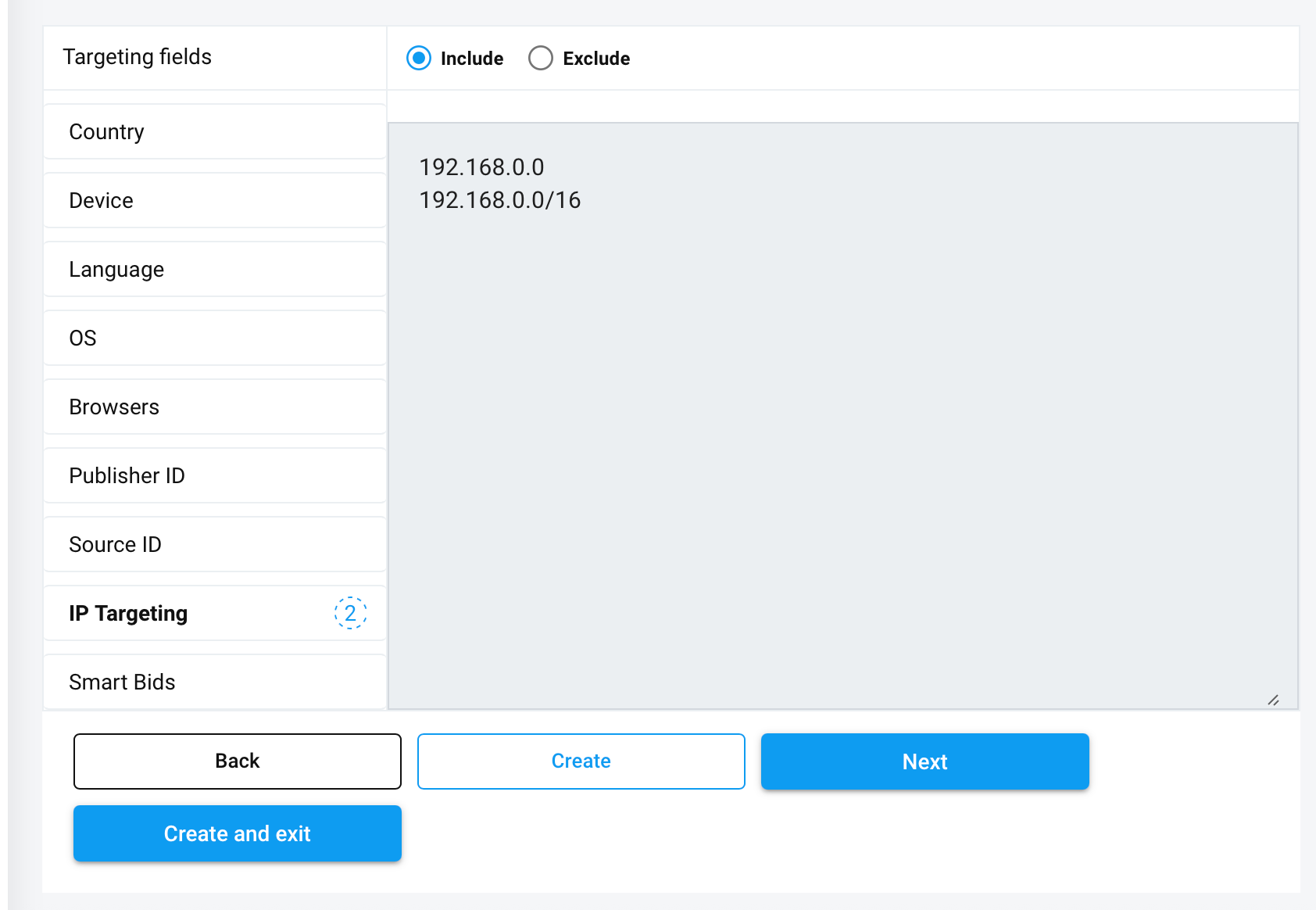
In the IP Targeting section, you can:
- Include an IP address or range → to receive traffic only from these IPs.
- Exclude an IP address or range → to block traffic from these IPs.
Example: You can add a range in CIDR format, such as:
192.168.0.0/16This covers all IPs from 192.168.0.0 to 192.168.255.255.
- You can add a single IP (e.g.,
192.168.10.25) or an entire range. - If the entered IP or range is invalid, the system will show an error and won’t let you save the campaign.
- Once the settings are saved, IP targeting will be applied to the campaign automatically.