IP Targeting Guide

What is IP Targeting?
IP targeting is a method of showing ads to users from a specific range of IP addresses or excluding unwanted IP ranges.
Why Use IP Targeting?
Improve Audience Quality
- Exclude low-performing regions (e.g., countries/regions/cities with poor conversion rates).
- Focus on locations where users are more engaged.
Optimize Ad Budget
- Exclude traffic that doesn’t convert → lower CAC (customer acquisition cost).
- Pay higher eCPC bids for better-quality traffic.
How to Set Up IP Targeting in the Advertiser’s Account
- Go to the Targeting tab when creating a new campaign.
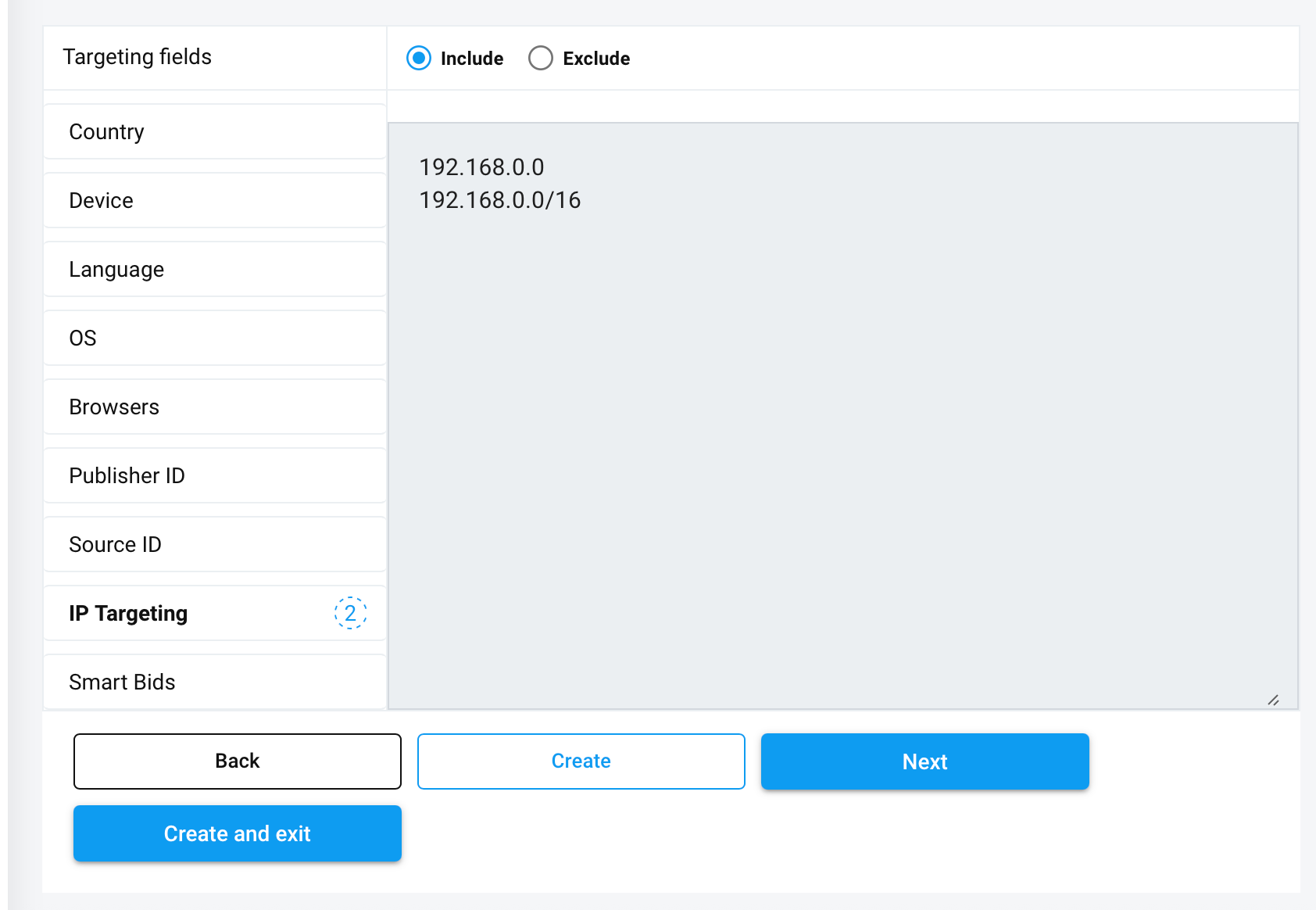
In the IP Targeting section, you can:
- Include an IP address or range → to receive traffic only from these IPs.
- Exclude an IP address or range → to block traffic from these IPs.
Example: You can add a range in CIDR format, such as:
192.168.0.0/16This covers all IPs from 192.168.0.0 to 192.168.255.255.
When accuracy matters for a costume, it is worth considering how details related to men's cosplay costumes will affect the complete look. With practical wear in mind, it helps to assess details related to photoshoot preparation together with fit and fabric. To compare practical details about details related to cosplay costumes, cosplay wigs for conventions offers a useful starting point for practical preparation. Before the preparation is complete, a balanced view of details related to Genshin Impact cosplay costumes can support both detail and comfort.
- You can add a single IP (e.g.,
192.168.10.25) or an entire range. - If the entered IP or range is invalid, the system will show an error and won’t let you save the campaign.
- Once the settings are saved, IP targeting will be applied to the campaign automatically.