Smart Bids Feature Overview & Setup Guide
Purpose and Capabilities
Smart Bids allow advertisers to set a custom CPC (cost-per-click) bid for specific traffic sources (source IDs) within the same campaign, without the need to create a new one. The bid can be set based on the performance of a particular source and can differ from the default bid set at the campaign level.
What Smart Bids can do:
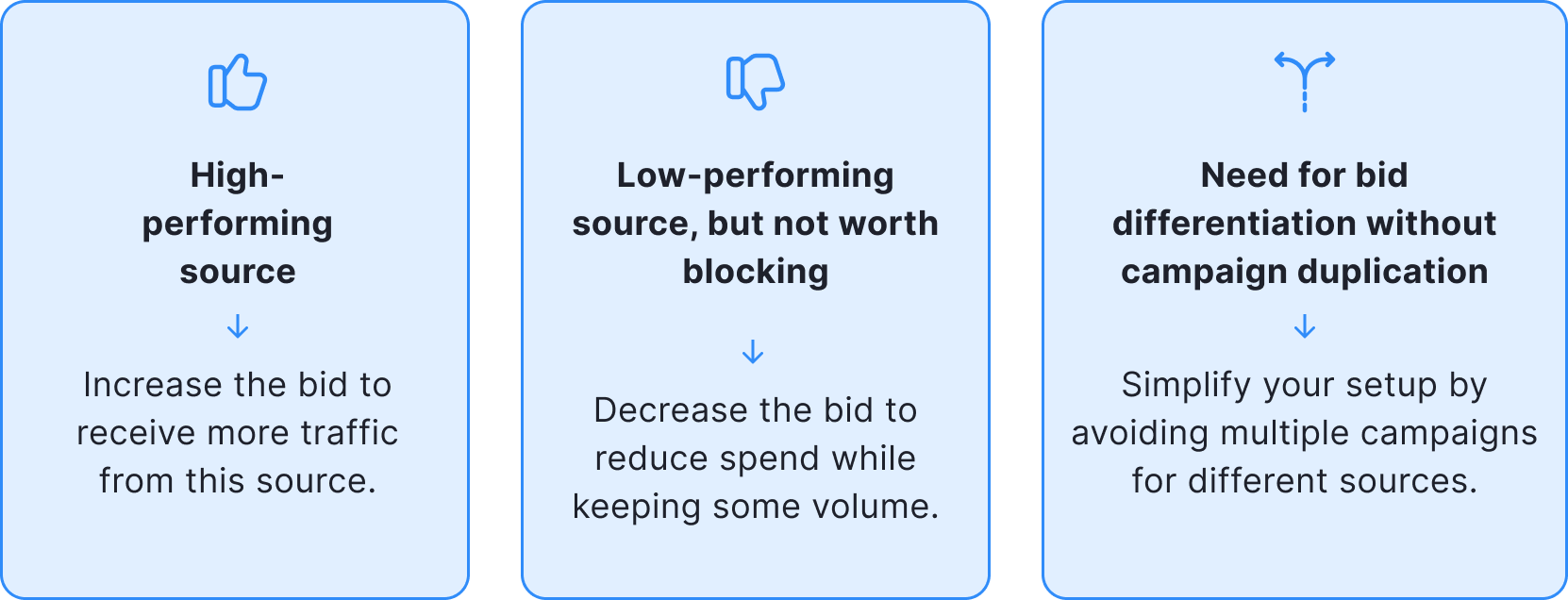
- Set higher or lower bids than the default CPC for selected source IDs.
- Enable more efficient budget allocation by prioritizing sources with better performance.
- Avoid completely blocking a source by simply lowering the bid — a softer control mechanism.
How it works:
- Smart Bids only influence the bid amount used in the auction.
- If the campaign wins the auction, the custom bid amount is charged.
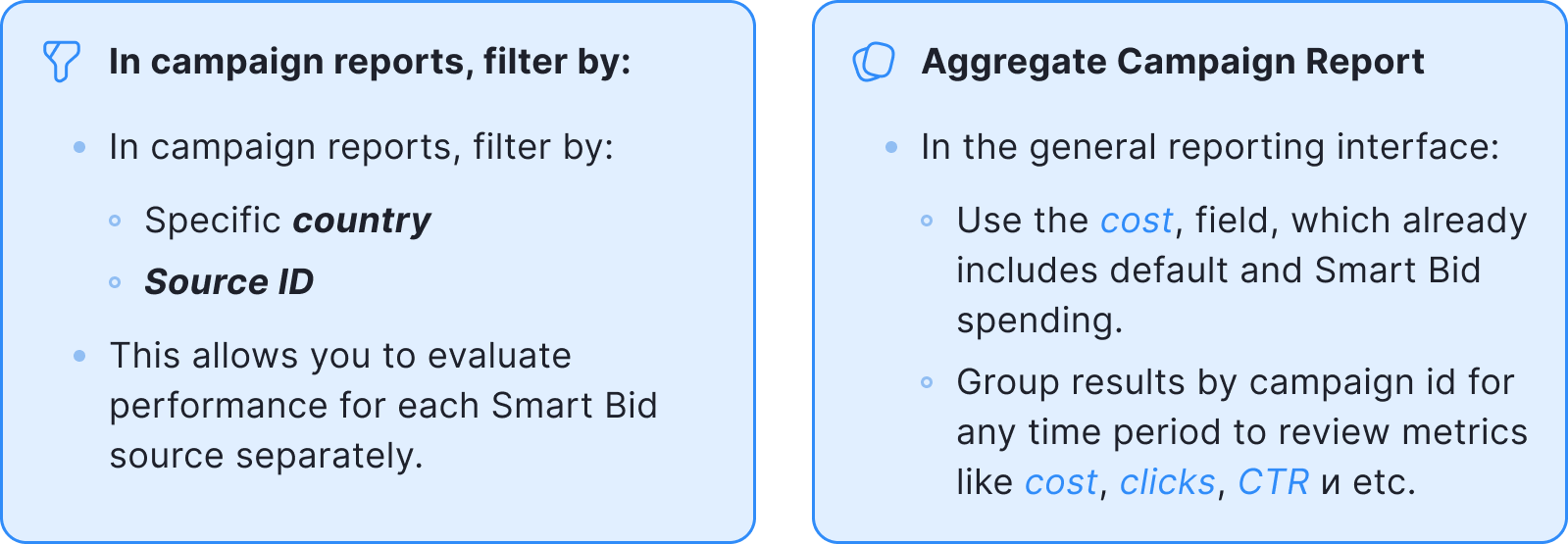
- In campaign reports, the actual cost is logged in the cost field.
Example
- Default CPC: $0.01
- Smart Bid for one source: $0.02
- Campaign gets:
800 clicks at the default bid
200 clicks at the Smart Bid rate - Final
cost: = (800 × $0.01) + (200 × $0.02) = $12
When to Use Smart Bids
Smart Bids are useful in the following scenarios:
How to Set Up Smart Bids
Smart Bids are available for all campaign types: (Segmented & Unsegmented)
Setup steps:
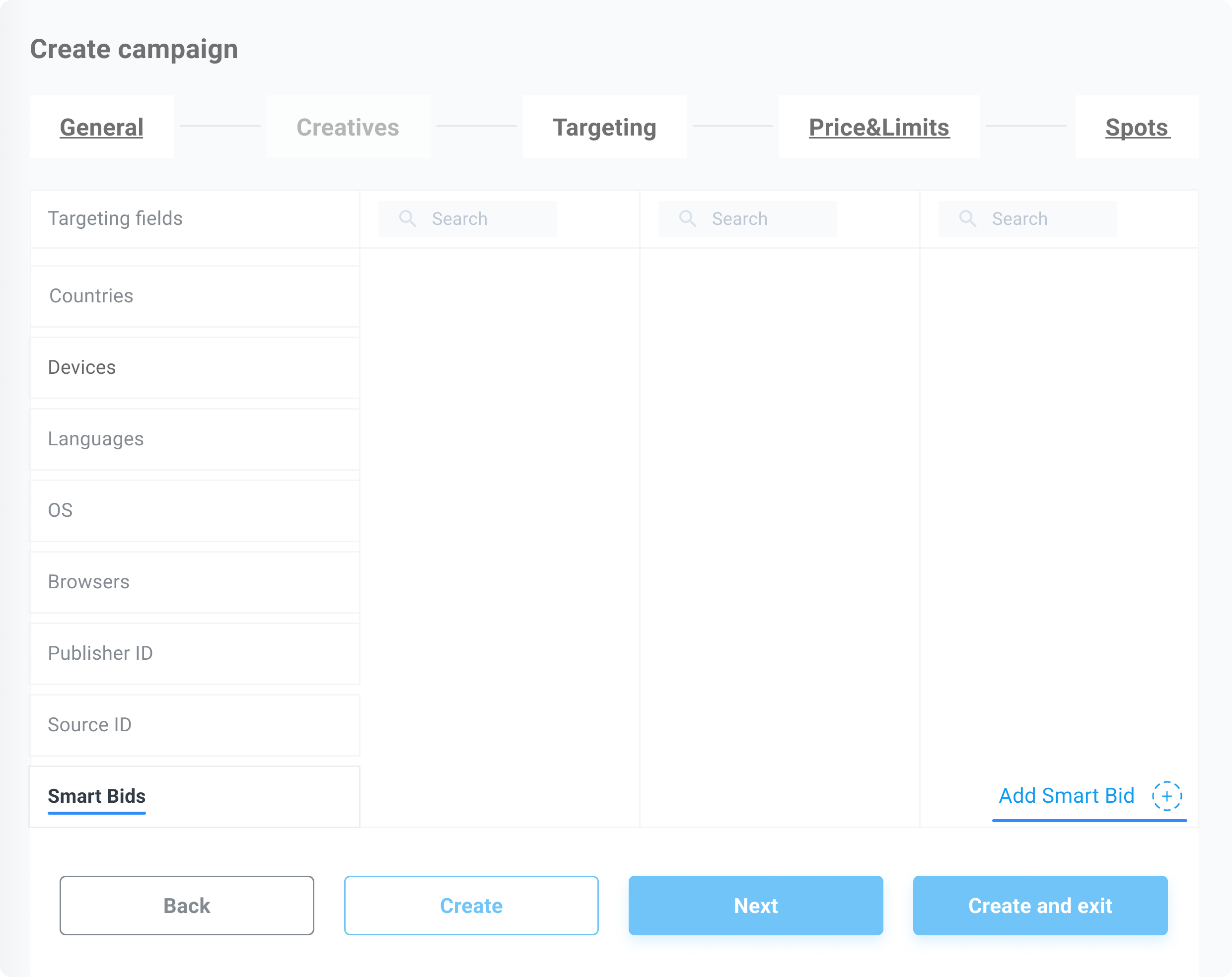
- Go to the Targeting tab (this is also where source blacklisting is managed).
- Scroll down to the Smart Bids section.
- Click Add Smart Bid.
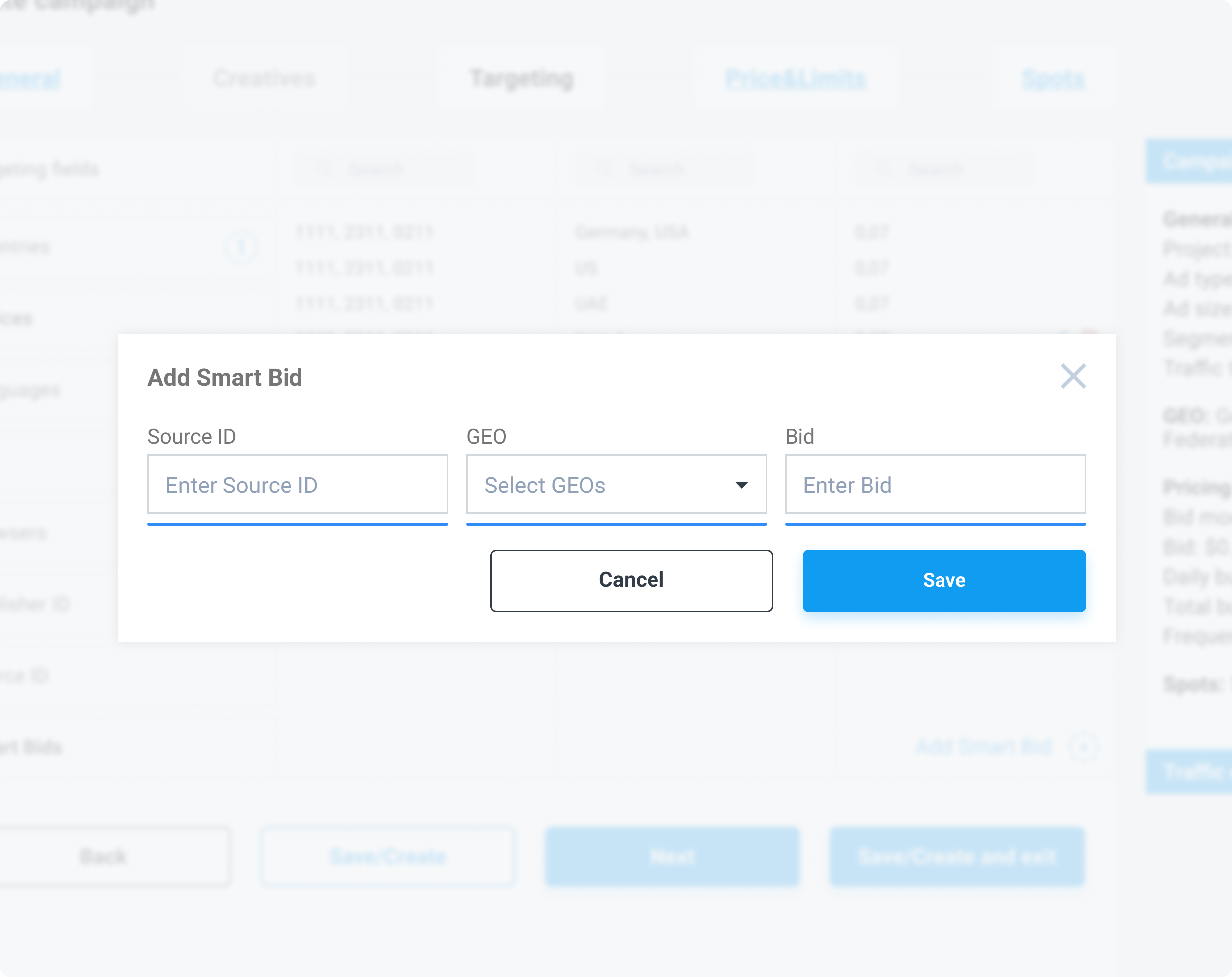
- In the pop-up window:
- Enter source ID (in the format {affiliate_id}_{source_id}, for example 1752_2285193)
- Select one or more countries (from those already targeted in the campaign)
- Set the desired CPC bid
- Click Save.
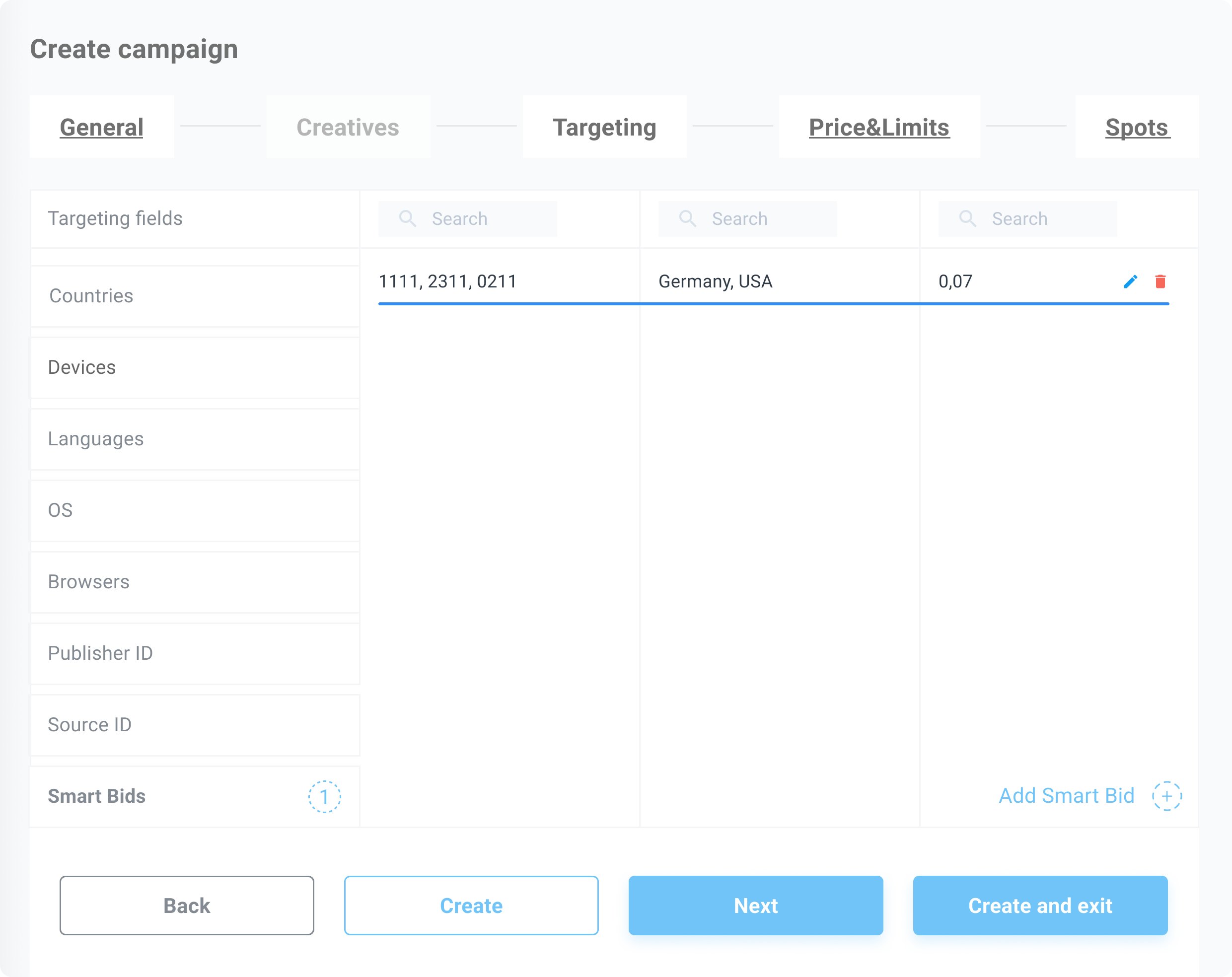
Once saved, your bid will appear in the Smart Bids list. From there, you can:
- Edit bid values
- Delete or add new Smart Bids as needed
How to Analyze Performance
Filter by GEO and Source ID
As an event approaches, it is worth considering how details related to character accuracy will affect the complete look. When the final look will be photographed, it helps to assess details related to cosplay costumes together with fit and fabric. To compare practical details about details related to wig colour selection, women's cosplay costumes for anime fans can help narrow the options for a specific purpose. To preserve the character's visual identity, a balanced view of details related to character accuracy can support both detail and comfort.
Summary
Smart Bids are available for all campaign types: (Segmented & Unsegmented)
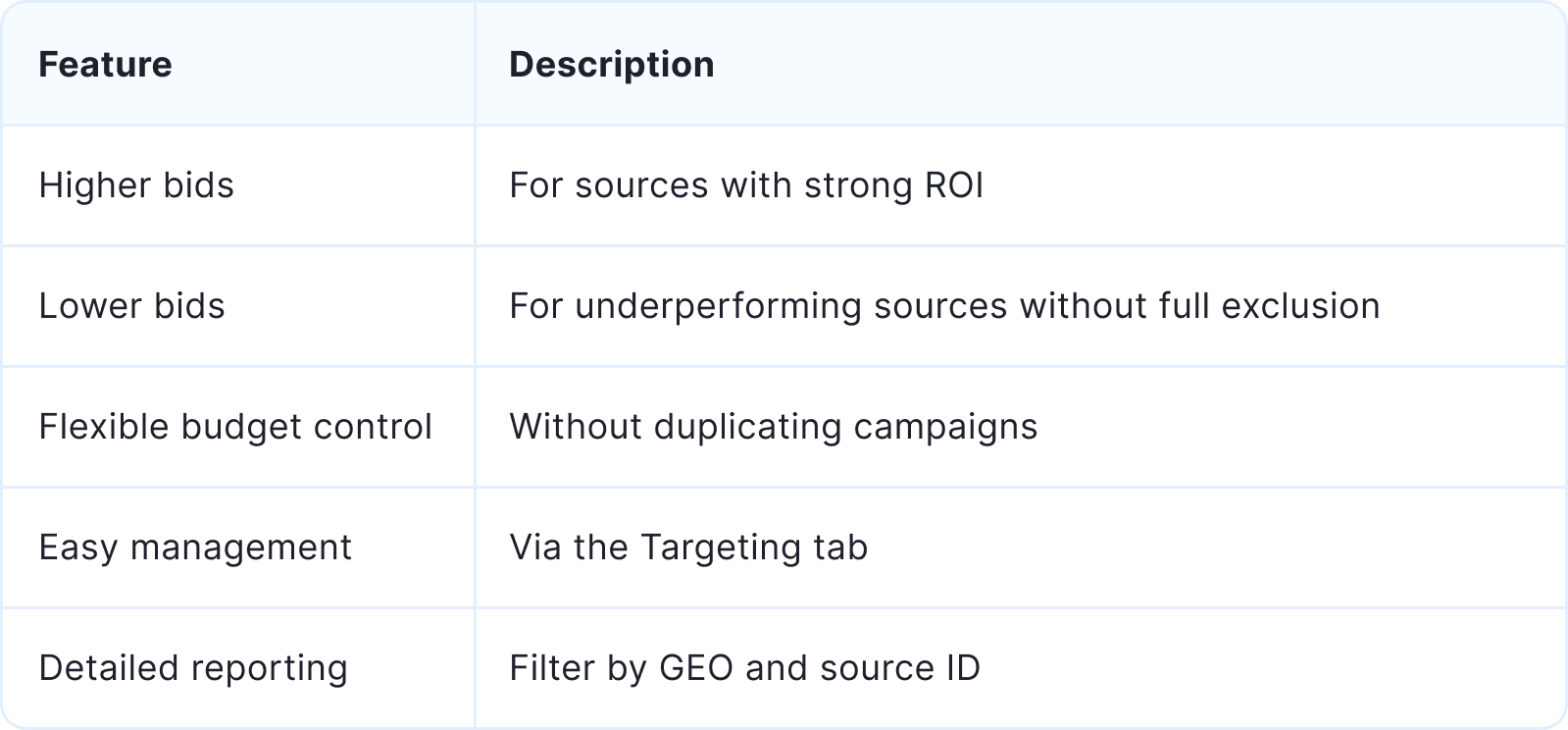
| Feature | Description |
|---|---|
| Higher bids | For sources with strong ROI |
| Lower bids | For underperforming sources without full exclusion |
| Flexible budget control | Without duplicating campaigns |
| Easy management | Via the Targeting tab |
| Detailed reporting | Filter by GEO and source ID |